
Set up your Agent in five minutes.
Welcome to Euphonia! This quick reference will help you dive in right away and see immediate results. There are three steps we recommend to get started:
- Call your AI Voice Agent now.
- Make your AI Voice Agent Your Own.
- Train your Agent Using The Content Of Your Website.
We’ve pre-configured your AI Voice Agent so you can try it right now. We recommend you call your AI Voice Agent first (Step 1 below) to hear what Euphonia is capable of. Then, follow the next two steps to make your AI Voice Agent your own and train your AI Voice Agent!
Call your AI Voice Agent Now
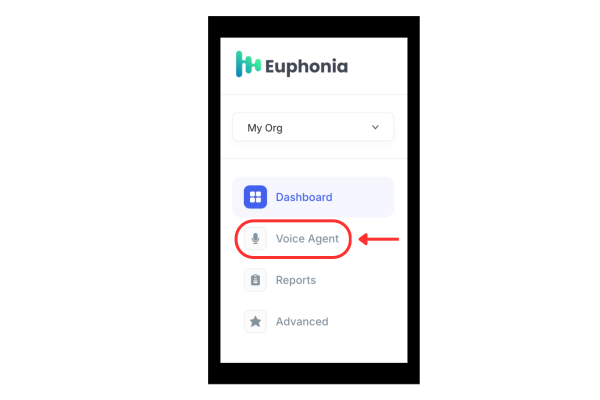
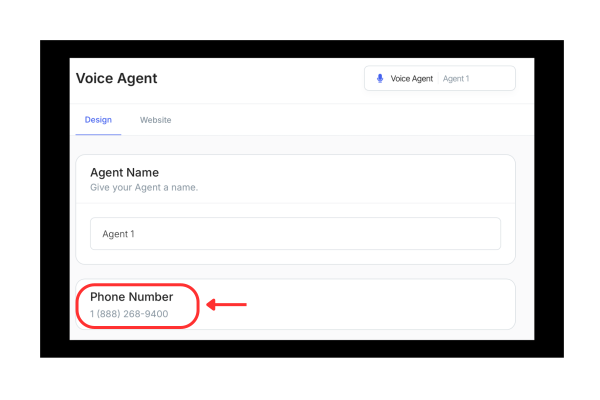
First, log in to app.euphonia.ai. Once you are logged in, navigate to Voice Agent to see the phone number assigned to your Voice Agent. Call the number and talk to your AI Voice Agent, pre-configured as a friendly sales representative for Euphonia.
-
Navigate to your AI Voice Agent:
-
Note the toll-free number that has been assigned to your AI Voice Agent:
-
Using any phone, call and interact with your AI Voice Agent 😀
Make your AI Voice Agent Your Own
Configuring your AI Voice Agent will take 5 minutes.
-
1. Navigate to Voice Agent:
-
Update your Voice Agent Settings:
-
Input a name for your voice agent:
.svg)
-
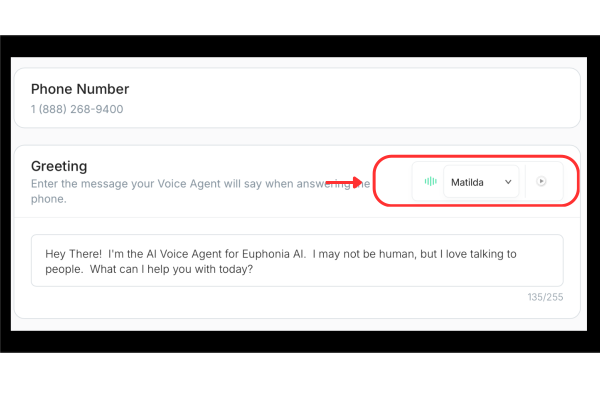
Sample and choose one of our voices:
-
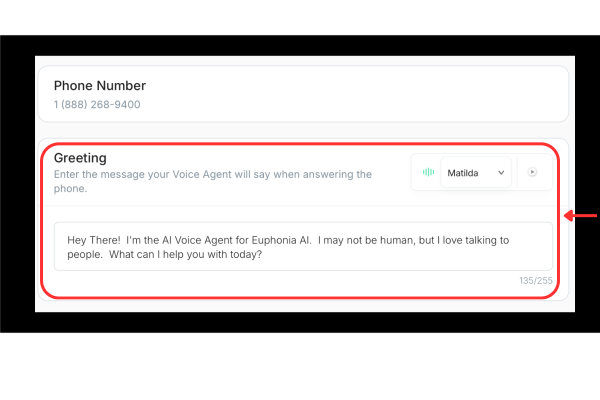
Provide a script for the introductory greeting. Your AI Voice Agent will say this script word-for-word when the call is first answered:
-
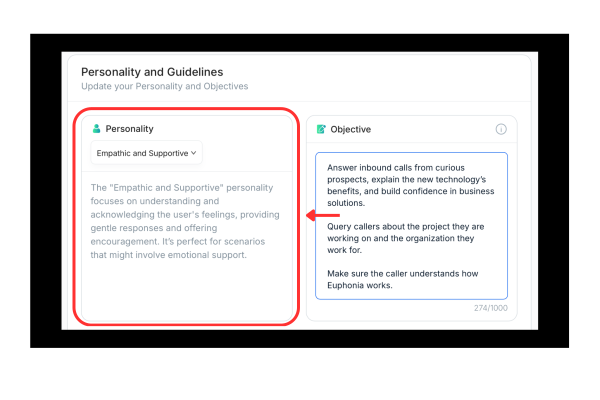
Choose a personality:
-
Set an objective for your Agent. This should be the goal you set for your Agent:
Examples:
“Educate callers about the company.”
“Encourage callers to visit our website.”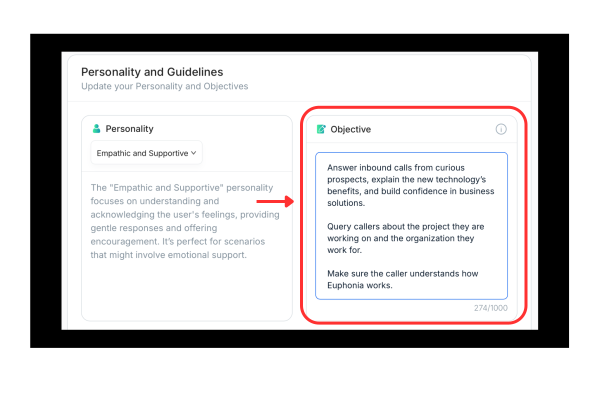
-
Define the Agent’s specific job role. Be specific:
Examples:“Junior Sales Representative”
“Custoemer Service Representative”
“Assistant to the CEO”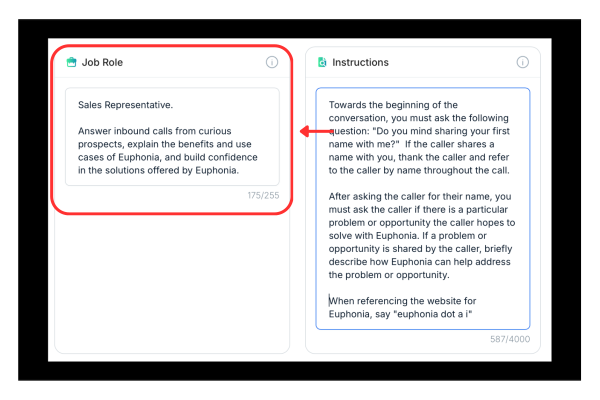
-
Provide any additional instructions you’d like the Agent to follow:
Examples:
“Ask for the caller’s name, and address the caller by name.”
“Offer to tell the caller about positive reviews available on the website.”
“Ask the caller to explain the problem he or she is trying to address.”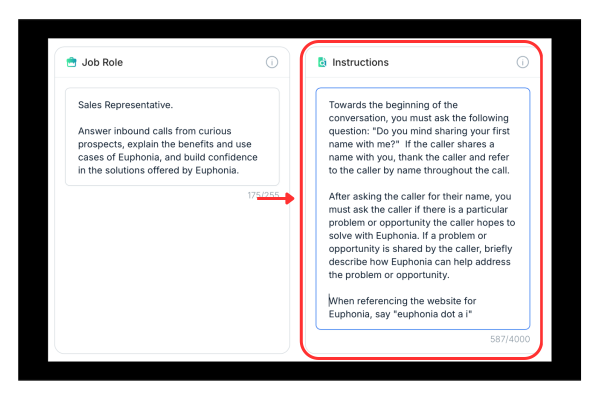
-
When all of your desired changes are made, click Save Changes.
.svg)
-
Train your Agent using the content of your website
The content on your website is the knowledge your AI Voice Agent relies on to talk intelligently to callers. By inputting a website URL, Euphonia will index it and the sub-pages linked from it.
-
Navigate to your AI Voice Agent:
-
Select the Website menu item:
.svg)
-
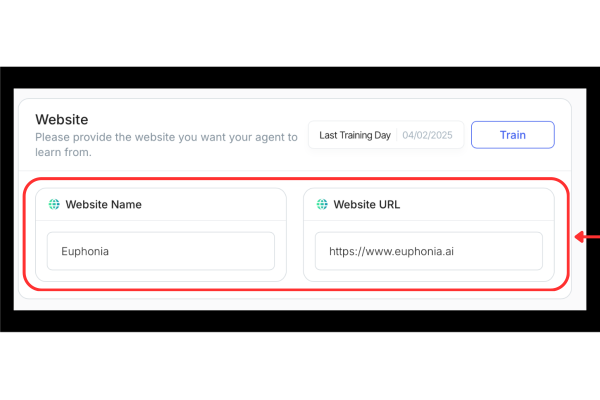
Input a name and URL for the website you would like to index:
-
Select "Save Changes":
-
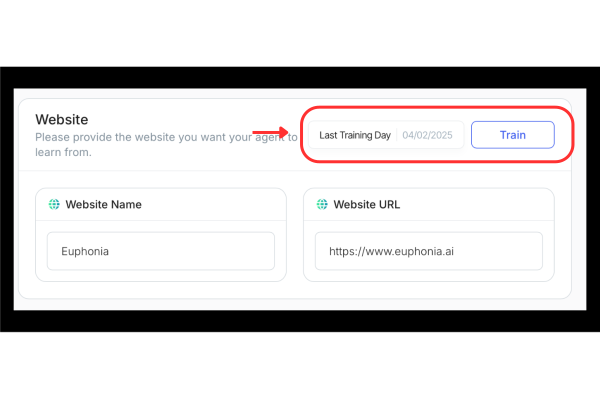
Select "Train" to teach your Agent about your website:
-
Call your Agent!